

The Prompts section lets you create, organize, and manage your own reusable prompts. Build your personal library of prompts that you can quickly insert into agents without rewriting them each time.Documentation Index
Fetch the complete documentation index at: https://docs.atthene.com/llms.txt
Use this file to discover all available pages before exploring further.
Looking for prompt configuration details? This guide covers managing prompts in the UI. For YAML configuration, prompt templates, variables, and advanced features, see the Prompt Configuration reference.
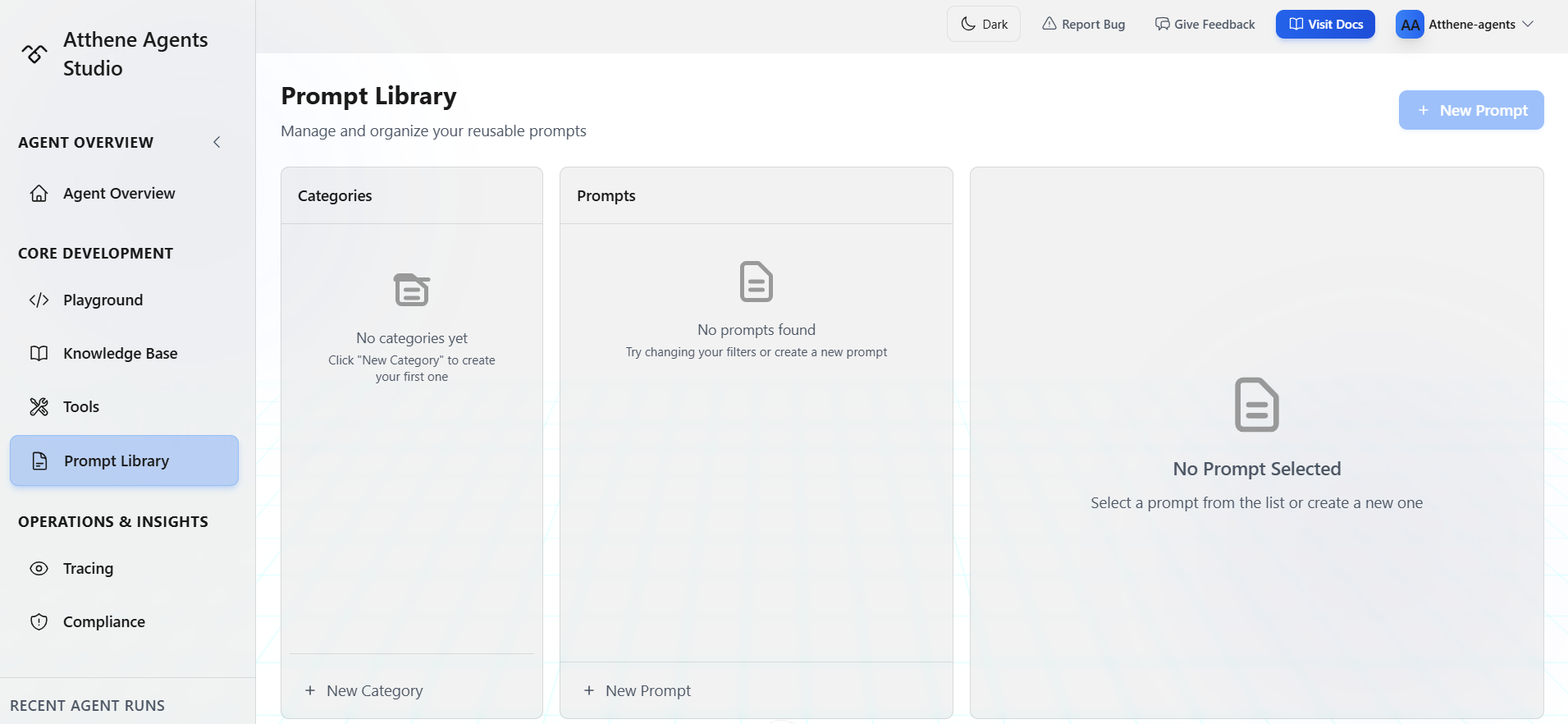
Interface Overview
The Prompts page has three panels:Left: Categories
Organize your prompts into categories:- Create custom categories
- Filter prompts by category
Middle: Prompt List
View all prompts in the selected categoryRight: Prompt Editor
Create and edit prompt content:- Write your prompt text
- Add metadata
- Save and manage versions
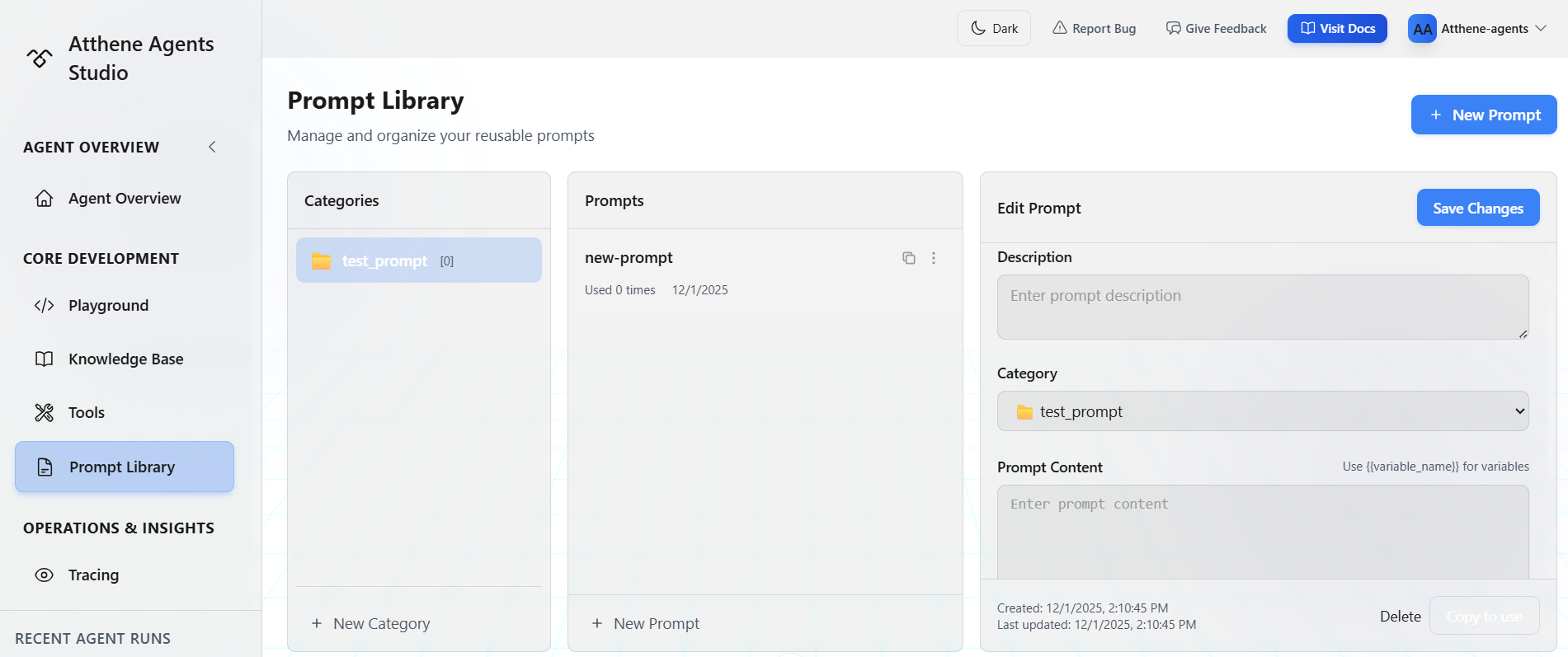
Creating Your First Prompt
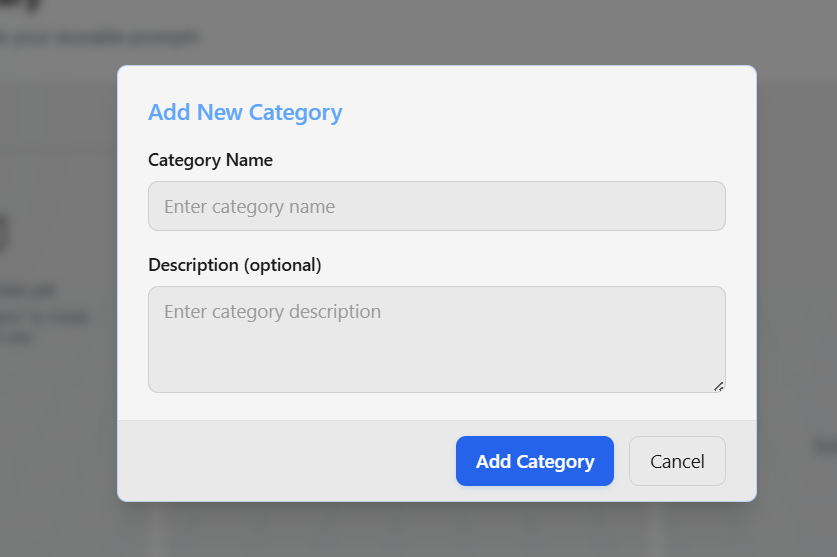
Create a Category
Click Add Category in the categories sidebar
Create a Prompt
Click New Prompt button at the topThis creates a new prompt in the selected category
Write Your Prompt
In the editor panel:
- Give it a descriptive name
- Write the prompt text
- Add any notes or examples
Using Prompts in Your Agents
Reference saved prompts in your agent YAML using template variable syntax:Advanced prompt features: For YAML syntax, template variables, and dynamic prompts, see the Prompt Configuration reference.
Organizing Your Prompts
Create Categories
Organize prompts by use case:- Customer Support: Ticket handling, FAQ responses
- Data Extraction: Resume parsing, invoice processing
- Content Generation: Blog posts, marketing copy
- Code Review: Quality checks, security analysis
- Analysis: Sentiment, classification, moderation
Category Management
Add Category: Click the button in categories sidebar Edit Category: Click edit next to category name Delete Category: Prompts move to “Uncategorized”Writing Effective Prompts
Be Specific
Bad example:Include Examples
Show expected output format:Set Boundaries
Managing Prompts
Edit a Prompt
- Select prompt from the list
- Make changes in the editor
- Click Save
Delete a Prompt
- Select the prompt
- Click Delete button
- Confirm deletion
Reuse Across Agents
Once saved, prompts can be:- Inserted into multiple agents
- Updated in one place
- Versioned and tracked
Example Prompts to Create
Customer Support Classifier
Resume Parser
Content Moderator
Code Reviewer
Tips for Building Your Library
What’s Next?
Prompt Configuration
YAML syntax, template variables, and advanced features
Playground
Test your prompts in the Playground